Table of Contents
ToggleThe Sony STR-DH550 hit shelves back in 2013 as an entry-level 5.2-channel receiver, and you’ll still find it circulating on the used market and in home theater setups that haven’t been touched in years. With modern receivers offering Dolby Atmos, 4K passthrough, and wireless streaming, the question is whether this older Sony model still has a place in a DIY home theater build, or if it’s time to upgrade. This review digs into the specs, installation process, real-world performance, and whether the STR-DH550 makes sense for your space in 2026.
Key Takeaways
- The Sony STR-DH550 5.2-channel home theater receiver is best suited for secondary rooms and medium-sized spaces under 250 square feet due to its 145W per-channel power output.
- No 4K passthrough support and lack of Bluetooth connectivity are the biggest limitations—you’ll need external solutions or a workaround to use modern 4K sources and wireless streaming.
- The Auto Calibration Optimizer microphone makes setup simple and DIY-friendly, automatically adjusting speaker levels, distances, and crossover frequencies without manual SPL meter tweaking.
- Dual subwoofer outputs enable better low-frequency distribution in larger or irregularly shaped rooms, with solid Dolby TrueHD and DTS-HD Master Audio support for Blu-ray content.
- At $75–$150 on the used market, the STR-DH550 works as a budget secondary system, but new entry-level receivers like the Denon AVR-S650H ($300–$400) offer 4K HDR, Bluetooth, and superior features for primary entertainment setups.
What Makes the Sony STR-DH550 Stand Out for Home Theater Enthusiasts
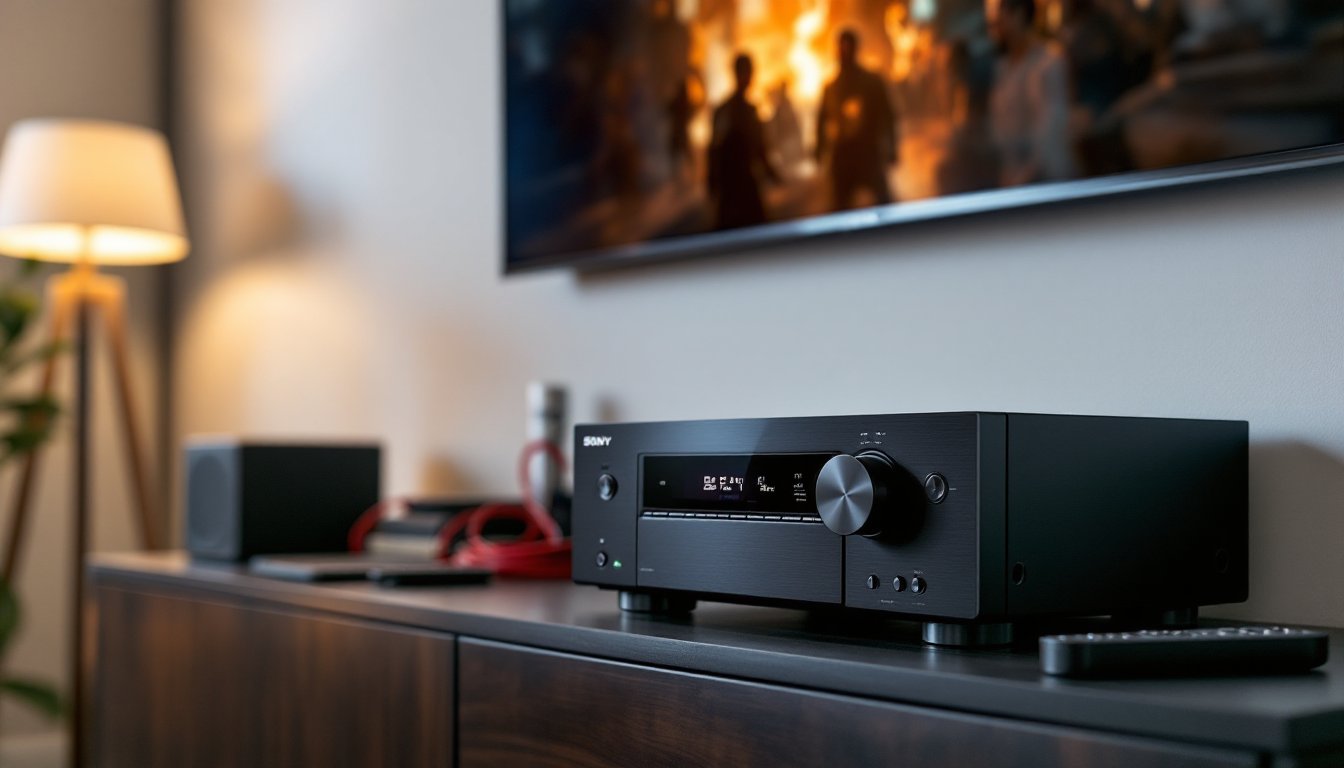
For a receiver that’s over a decade old, the STR-DH550 was designed with simplicity in mind. It’s a 5.2-channel receiver, meaning it powers five speakers (front left/right, center, and two surrounds) plus two subwoofer outputs. At the time of release, this was a solid mid-tier setup for most living rooms.
The unit delivers 725 watts total power (145 watts per channel at 6 ohms), which is enough to fill a medium-sized room without distortion at reasonable volumes. It doesn’t have the headroom for a massive open-concept space or a dedicated home theater, but for a 12×15-foot living room or basement, it handles the job.
One thing that aged well: the Auto Calibration Optimizer function. Plug in the included microphone, run the setup routine, and the receiver adjusts speaker levels, distances, and crossover frequencies automatically. It’s not as sophisticated as modern Audyssey or Dirac systems, but it saves you from manual tweaking with an SPL meter.
Key Features and Technical Specifications
Here’s what you’re working with:
- Power output: 145W per channel (6 ohms, 1 kHz, 1% THD)
- Surround formats: Dolby TrueHD, DTS-HD Master Audio (no Atmos)
- HDMI inputs: 4 (all HDMI 1.4, no 4K passthrough)
- HDMI output: 1 with Audio Return Channel (ARC)
- Additional inputs: Optical, coaxial digital, composite video, analog stereo
- Subwoofer outputs: 2 (dual sub capability)
- Bluetooth: No built-in wireless (a major miss even in 2013)
- Dimensions: 17.1″ W × 5.9″ H × 12.4″ D
- Weight: 16.3 lbs
The lack of 4K support and Bluetooth are the two biggest dated elements. If you’re running a 1080p projector or older TV, the HDMI 1.4 spec won’t hold you back. But if you’ve upgraded to 4K or plan to, you’ll need an external HDMI switch or a different receiver.
Many reviewers at Digital Trends and similar outlets praised the STR-DH550’s straightforward interface when it launched, and that simplicity still works in its favor if you’re not chasing the latest features.
Setting Up Your Sony STR-DH550: A DIY Installation Guide
Installing the STR-DH550 is about as DIY-friendly as home theater gear gets. No special tools required beyond a wire stripper and a screwdriver for speaker terminals.
Materials you’ll need:
- 5 speakers (front L/R, center, surround L/R)
- 1–2 powered subwoofers
- 16-gauge speaker wire (14-gauge if running over 50 feet)
- HDMI cables (at least HDMI 1.4 rated)
- Optional: cable ties or conduit for wire management
Step-by-step installation:
- Position the receiver. Place it in a ventilated cabinet or shelf with at least 3 inches of clearance on all sides. This unit runs warm under load: blocking airflow can shorten its lifespan.
- Run speaker wire. Measure the distance from the receiver to each speaker location. Add 10–15% extra length for routing around baseboards or up walls. Strip 1/2 inch of insulation from each end.
- Connect speakers. The STR-DH550 uses spring-clip terminals, not the tool-less binding posts found on pricier models. Press the tab, insert the bare wire, and release. Double-check polarity: red to red, black to black.
- Wire subwoofers. Use a standard RCA cable from the receiver’s “Subwoofer 1” or “Subwoofer 2” output to your powered sub’s LFE input. Both outputs send the same signal, so dual subs work in parallel.
- Connect video sources. Plug your Blu-ray player, cable box, or game console into any of the four HDMI inputs. Run a single HDMI cable from the receiver’s output to your TV.
- Run Auto Calibration. Plug the optimizer microphone into the front panel, place it at ear height in your main seating position, and follow the on-screen prompts. The process takes about five minutes.
Safety note: If you’re running speaker wire through walls, check local building codes. Some jurisdictions require CL2- or CL3-rated cable for in-wall installation. Surface-mounted wire is fine for most DIY setups.
If your TV is wall-mounted or your seating is more than 15 feet from the display, consider hiring a low-voltage electrician to run wire behind drywall. It’s not expensive (typically $100–$200 for a basic job) and keeps things clean.
Sound Performance and Audio Quality for Different Room Sizes
The STR-DH550 performs best in rooms under 250 square feet (roughly 12×20 feet). Push it into a larger space, and you’ll notice the top end starts to lose definition at higher volumes, especially during action scenes with layered effects.
Bass response depends entirely on your subwoofer, but the receiver’s crossover management is competent. Set your mains to “Small” in the setup menu and let the sub handle everything below 80 Hz. The dual subwoofer outputs help even out low-frequency distribution in longer or oddly shaped rooms.
For dialogue clarity, the center channel performance is solid. The receiver allocates enough power to keep voices front and center, even during complex mixes. If you’re using a budget center speaker (say, a Polk or Micca model under $100), the STR-DH550 won’t expose its weaknesses the way a higher-end receiver might.
Surround performance is where the unit shows its age. It handles Dolby TrueHD and DTS-HD Master Audio fine, but there’s no upmixing to height channels or virtualized Atmos. If you’re used to modern immersive audio, the soundstage will feel noticeably flatter.
One quirk: the receiver can sound a bit thin with bright speakers (like some Klipsch models). Pairing it with warmer-voiced speakers, such as certain Polk or ELAC series, balances things out.
According to testing from outlets like Tom’s Guide, receivers in this power range typically hit 90–95 dB SPL in a medium room before distortion creeps in. That’s loud enough for most residential use, but dedicated home theater rooms with acoustically treated walls may demand more headroom.
Connectivity Options and Device Compatibility
Here’s where the STR-DH550 feels dated. Four HDMI 1.4 inputs cover most setups, but there’s no HDMI 2.0 or HDCP 2.2 support, so 4K sources (like a Roku Ultra or PlayStation 5) won’t pass video through the receiver at full resolution. You’ll need to run video directly to your TV and use ARC (Audio Return Channel) to send sound back to the receiver.
That works, but it adds a step and can cause handshake issues with some TVs. If ARC isn’t cooperating, use an optical cable instead.
The receiver also includes:
- 2 optical inputs (common for older cable boxes or soundbars)
- 2 coaxial digital inputs
- Analog stereo inputs (useful for turntables with a built-in preamp)
- Composite video (ignore this unless you’re hooking up a VCR)
No Bluetooth, no Wi-Fi, no streaming apps. If you want wireless audio, you’ll need an external Bluetooth adapter ($20–$30) plugged into one of the analog inputs. It’s clunky, but it works.
For smart home integration, don’t expect much. There’s no IP control, no RS-232, and no compatibility with modern automation platforms like Control4 or Home Assistant. The included IR remote is basic but responsive.
Pros and Cons: Where the STR-DH550 Excels and Falls Short
Pros:
- Simple setup. Auto calibration works well, and the menu system is intuitive even for first-time installers.
- Dual subwoofer outputs. Handy for balancing bass in larger or irregularly shaped rooms.
- Solid build quality. The unit feels sturdy, and the heat sinks are well-designed for passive cooling.
- Affordable on the used market. You can often find these for $75–$150 in good condition.
- Handles lossless audio. Dolby TrueHD and DTS-HD Master Audio support means you’re not missing out on Blu-ray soundtracks.
Cons:
- No 4K passthrough. The biggest dealbreaker for anyone with modern displays or sources.
- No wireless connectivity. No Bluetooth or Wi-Fi means no streaming from your phone without a workaround.
- Limited power for large rooms. 145W per channel is fine for small to medium spaces, but falls short in larger setups.
- No object-based audio. No Dolby Atmos or DTS:X means you’re missing out on height channels and immersive formats.
- Outdated interface. The on-screen menus look like they’re from 2005, functional but not pretty.
Experts at Good Housekeeping and similar review platforms typically recommend this receiver only for secondary systems or basement setups where cutting-edge features aren’t a priority.
Is the Sony STR-DH550 Right for Your Home Theater Project?
The STR-DH550 still has a place in 2026, but only in specific scenarios. It’s a decent choice if you’re building a budget home theater in a secondary room, think a basement rec room, garage hangout, or guest bedroom. If you already own the receiver and it’s working fine, there’s no urgent reason to upgrade unless you need 4K passthrough or modern streaming features.
But if you’re starting from scratch or buying used, consider this: a new entry-level receiver like the Denon AVR-S650H or Sony STR-DH590 (the STR-DH550’s successor) costs around $300–$400 and includes Bluetooth, 4K HDR passthrough, and better room correction. The feature gap is significant enough to justify the price difference if you’re planning to use the system as your primary entertainment hub.
If you’re committed to the STR-DH550, pair it with efficient speakers (sensitivity rating of 88 dB or higher) to make the most of its power output. Avoid pairing it with power-hungry tower speakers that demand 200+ watts.
Skip this receiver if you’re running a 4K TV, plan to add Atmos speakers in the future, or want built-in streaming. Otherwise, it’s a functional workhorse that’ll handle movie nights and casual listening without fuss.